Organized Project & Ripple-Cut Rhythm
Structure crash-resistant project bins and use ripple-trim shortcuts on the audio waveform so dialogue flows naturally without timeline gaps.
Learn clean Premiere Pro project organization, waveform-driven ripple cutting, natural punch-in reframing, clear dialogue mixing, and accurate Rec.709 export.
Editing short commercial videos or talking-head Reels drags on for hours when projects are disorganized, every breath is sliced manually with the razor tool, zoom jumps feel jarring, or exported colors look washed out on phones. In this course, we build a disciplined Premiere Pro workflow covering keyboard-driven ripple pacing, optically smooth Transform reframing, layered B-roll rhythm, broadcast-clean voice mixing, and reliable color and export settings.
Start with a free online intro consultation for this course: we review the syllabus together, clarify how many sessions you need based on your goals and pace, and decide whether continuing Online ($69 CAD/hr) or In-Person ($99 CAD/hr) suits you best.
Prefer just the written framework instead of live sessions? A standalone $39 CAD PDF guide option can also be requested for this course: select the PDF option below.
Prefer done-for-you commercial filming, kinetic typography, and color grading for your brand? View our Video Production Studio, Client Portfolio, and recent edits on @tehranto.plus on Instagram.
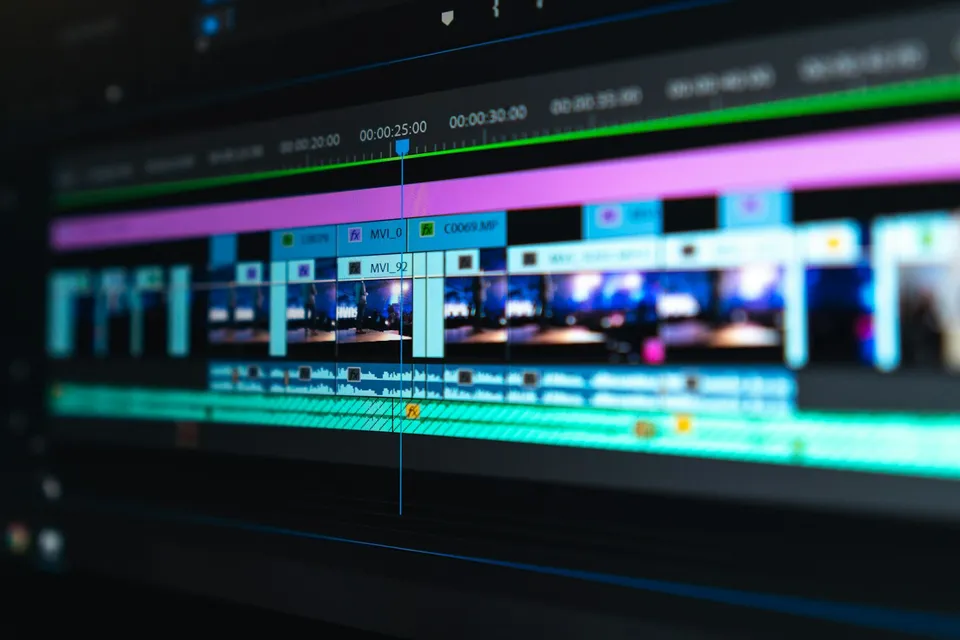
Every learner starts from a different background. These are the core capabilities this course develops, paced to your goals across the sessions we plan together.
Structure crash-resistant project bins and use ripple-trim shortcuts on the audio waveform so dialogue flows naturally without timeline gaps.
Reframe talking-head cuts cleanly (100% to 110% scale) and apply 180-degree shutter-angle motion blur when keyframing subtle push-ins.
Shape warm vocal clarity with EQ and gentle compression, reduce room ring, and balance background music and sound accents cleanly.
Fix washed-out iPhone HDR or Log gamma mismatches using Lumetri Scopes and export sharp H.264 masters tailored for social platforms.
Below are the main concepts and topics covered in this course. In your Free Online Intro Session, we align the exact depth and number of sessions to your experience and goals.
Setting up a clean editing foundation from media ingest and sequence color management to fluid rough-cut assembly.
Keeping visual engagement steady through subtle scale shifts, optical motion blur, and B-roll timed to spoken meaning.
Giving commercial edits professional sonic weight and clean, readable typography in English or Persian.
Reading objective video scopes to balance exposure and skin color across clips before exporting clean client deliverables.
Core practical benchmarks and standards covered as part of this course's curriculum.
| Editing Stage | Frequent Editing Trap | Studio Standard Taught | Resulting Quality |
|---|---|---|---|
| Sequence Color Space | Dropping iPhone HLG/HDR clips into an uncalibrated sequence so faces blow out | Rec.709 working color space with proper clip input tone mapping | Accurate contrast and natural skin roll-off |
| Dialogue Pacing & Cuts | Chopping every tiny breath unevenly or leaving awkward silent gaps | Waveform ripple trimming that removes hesitation while preserving human cadence | Engaging, believable spoken rhythm |
| Punch-Ins & Motion | Linear Motion-tab keyframes with zero blur or jumping eyelines | Eyeline-matched static reframes plus Transform 180-degree shutter motion | Smooth optical energy across cuts |
| Audio Loudness & Mix | Music competing with speech or quiet vocals forcing viewers to raise volume | Dialogue peaks around -6 dBFS, ducked music bed, and -14 LUFS target | Clear voice intelligibility on phone speakers |
Choose a time for your Free Online Intro Session to map out your course path, or book an Online ($69/hr) or In-Person ($99/hr) session directly, or request the $39 CAD PDF guide option.
Yes, working on your own raw clips is one of the best ways to learn. After we align on your current Premiere Pro familiarity in the Free Online Intro Session, you can bring your own talking-head and B-roll footage so we build your folder template, keyboard shortcuts, and reusable presets right on your system.
Every course begins with a Free Online Introductory Session where we review the core syllabus together, evaluate your current background and goals, and map out how many sessions you actually need and whether continuing Online ($69 CAD/hr) or In-Person ($99 CAD/hr) suits you best. Session count is never a rigid one-size-fits-all number; it adapts to your own level and pace.
There is zero upfront package commitment: live sessions are booked flexibly session-by-session ($69 CAD/hr online or $99 CAD/hr in-person). If you prefer a self-paced written guide instead of live coaching, a standalone $39 CAD PDF option can also be requested for this topic.
Your choice: every session with Iman Adlkhah can be conducted 100% in English, 100% in Persian (Farsi), or naturally bilingual with industry terminology.

Turn overwhelming portrait, event, and commercial RAW shoots into a structured Lightroom Classic pipeline: clean catalogs, lag-free Smart Previews, two-pass culling, and batch AI mask syncing.
Build restrained, dimensional short-form soundtracks: five-stem timeline organization, tactile foley timed to visual motion, vocal EQ carving, and -14 LUFS loudness mastering.
Edit engaging single-camera YouTube episodes in Premiere Pro using natural breath-paced ripple cuts, upper-third eyeline punch-ins, 180-degree Transform motion, and visual chapter resets.